
7 Print Defects That Make Case Barcodes Unreadable
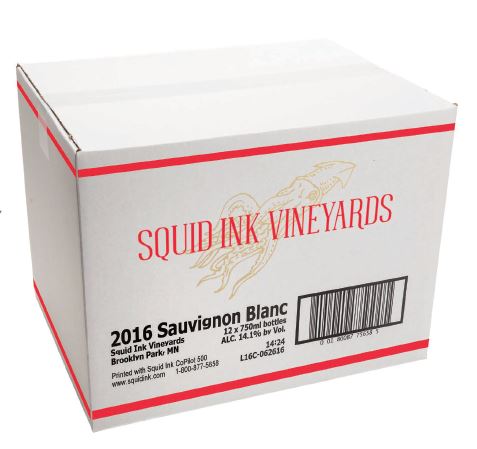
A case barcode must carry the correct information in a form that scanning equipment can read. Missing marks, low contrast, or damaged printing can interfere with that.
An unreadable barcode doesn't automatically mean the printer needs replacing. The message layout, packaging surface, ink, and case positioning all deserve assessment.
Manufacturers using high-resolution inkjet printers should review printed samples when quality changes. The following seven defects can affect readability and help identify what information to collect before requesting assistance.
For a broader overview of print-area requirements, packaging compatibility, and equipment selection, read High-Resolution Inkjet Printing for Case Coding: A Manufacturer’s Guide.
Why does a case barcode look clear but fail to scan?
Visual clarity alone doesn't guarantee barcode readability. Incorrect dimensions, insufficient contrast, missing elements, or obstructed quiet zones can affect decoding. Assess the printed symbol against the application requirements.
Can changing corrugated packaging affect barcode readability?
Yes. Changes to surface color, texture, coating or existing artwork can affect the printed result. Review representative samples when packaging changes, even if the case dimensions remain the same.
1. Missing or Incomplete Barcode Lines
Missing bars or gaps within a barcode can prevent a scanner from decoding the symbol. A partially printed message may still look recognizable to a person.
Inspect the complete barcode rather than checking only the accompanying text. Compare affected cases with an acceptable sample from the same job.
Record whether the missing areas appear consistently or vary between cases. Provide photographs and describe any displayed warning when requesting technical assistance.
2. Faded or Low-Contrast Printing
A barcode needs sufficient contrast between its printed marks and background. Faded printing can make that distinction harder to detect.
Assess the actual case surface. A message that displays clearly on a computer screen may look different on corrugated packaging.
Check whether the concern affects every case or a particular packaging batch. Include information about the approved ink and any recent material changes.
3. Blurred or Distorted Barcode Edges
Blurred edges can make bars and spaces difficult to distinguish. Distortion may also change the printed symbol's proportions.
Compare the approved layout with the finished barcode. Look for stretched, compressed or poorly defined elements.
Record the production line speed and whether it changes during operation. All Pro Technical Service can assess the printing configuration and operating conditions before recommending adjustments.
4. Uneven or Inconsistent Printing
A barcode may print strongly in one area and weakly or incompletely elsewhere. Quality may also vary between consecutive cases.
These variations deserve assessment even when some samples scan successfully. One acceptable case does not establish consistent performance across the production run.
Collect several samples and, where possible, identify their production sequence. Note the case size, message, and operating conditions associated with each.
5. Smudged Printing
A barcode may print clearly but smear during subsequent handling. Smudging can obscure bars or reduce the spaces between them.
Inspect cases immediately after printing and again after downstream handling.
Describe any contact with guides, other cases, or stacking equipment. All Pro Technical Service can review the ink, substrate, and handling conditions.
Use OEM consumables or alternatives recommended by All Pro Technical Service.
6. Poor Barcode Placement
Printing across a seam, fold or taped area can interrupt the barcode. Placement near existing graphics can also interfere with its required clear space.
Check the entire symbol and its surrounding quiet zones. These clear areas form part of the barcode layout.
Confirm that placement remains suitable across every case size. A message positioned correctly on one case may overlap an obstruction on another.
7. Barcode Size or Print Area Does Not Match the Application
A barcode may become unsuitable when resized to fit limited printing space. Its dimensions should reflect the barcode type and application requirements.
Review the complete message, including readable text and quiet zones.
For Squid CoPilot selection, the required print area is the primary consideration. All Pro Technical Service can guide manufacturers toward a configuration suited to the message, packaging and production requirements.
What Should Manufacturers Do When Barcode Print Quality Changes?
Record when the issue began and identify affected cases. Preserve printed samples and note changes to packaging, ink, messages or production conditions.
A successful scan on one device does not replace formal verification where required. Follow the applicable customer and barcode-quality requirements.
Contact All Pro Technical Service with the manufacturer, model, serial number and exact displayed message; if no message appears, state that clearly and describe the symptoms.